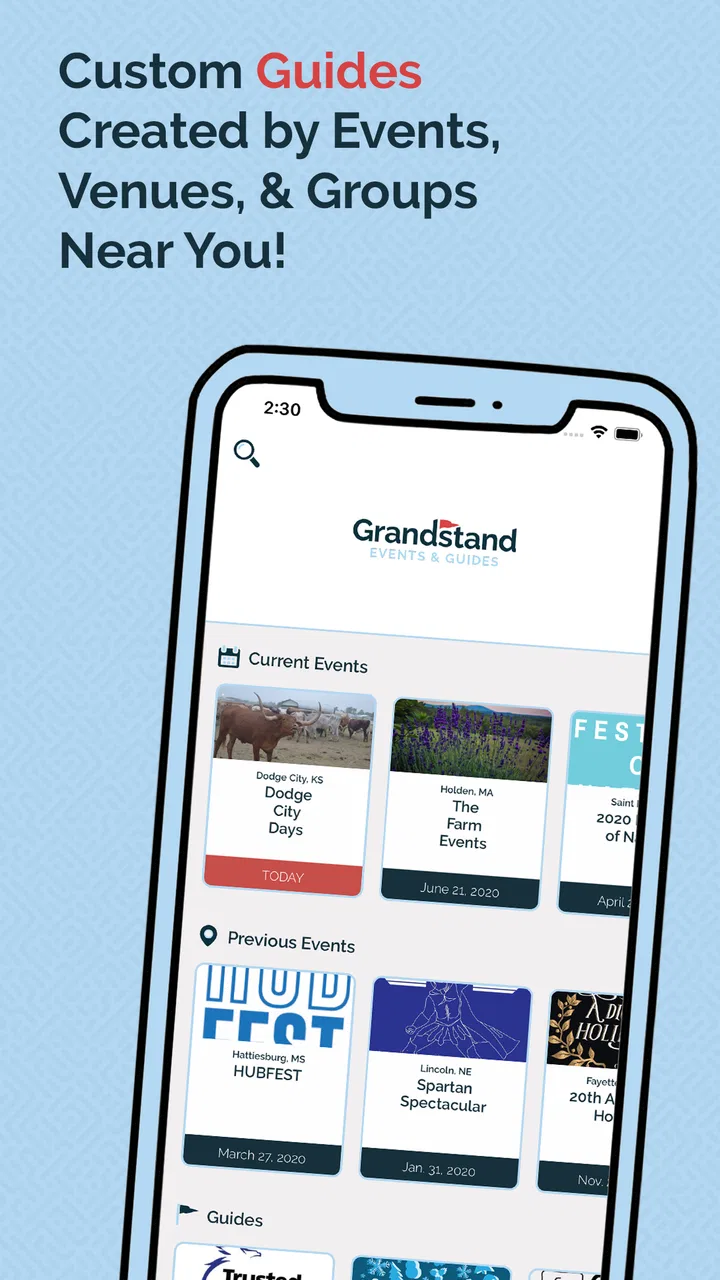
Grandstand - Events & Guides
- 3.9
- Rating
- 10.00K
- Installs
- Free
- Price

 Analysis by App-foxy
I like event apps that understand what I actually need when I am already on the move. Grandstand - Events & Guides takes that practical approach: instead of trying to be a general social network or a full travel planner, it focuses on helping me find an event nearby and make sense of what is happening there. Its useful material is organized around schedules, maps, vendors, food, and other event details, which makes it most valuable before I leave home and while I am deciding what to do next.
After spending time with it, my impression is that this is a focused events guide app rather than an app for discovering every possible activity in a city. That distinction matters. If I already know the event I want to attend, Grandstand can make the visit easier to plan. If I expect a broad, constantly changing directory of concerts, exhibitions, restaurants, and nightlife, I would probably start elsewhere. The app has a narrower purpose, but within that purpose it can reduce the small bits of uncertainty that often make event days frustrating.
How I use Grandstand before and during an event
My baseline workflow starts with discovery. I open the app when I want to find an event near me, then look for the event guide that matches my plans. The important shift is to treat the app as a preparation tool, not merely a list of names. Once I have found the relevant event, I move through its schedules, map information, vendors, and food details in that order. This gives me a rough plan without forcing me to commit to every activity in advance.
You May Also Like

 Blood Strike: 2.5 Anniversary
Blood Strike’s Loadouts Turn Every Drop Into a Tactical Gamble
A close look at Blood Strike’s custom loadouts: how fast access to signature weapons reshapes its battle royale rhythm, rewards preparation, and narrows the gap between fights.

 Pandora - Music & Podcasts
Pandora’s Music Is Easy to Start, but Harder to Recover
Pandora’s strength is its low-effort path from a seed to a station. Its weak spot is how much confidence it asks you to place in connection, setup, and quiet recovery.

 8 Ball Pool
 Is Built on Rivalries, Rematches, and Routine
A close look at the rivalries, rematches, shared routines, and unanswered safety questions that turn a quick pool match into a persistent mobile community.

 Samsung Music
’s Quiet Strength Is Playing What You Already Own
Its reach comes less from spectacle than from dependable access to a personal library. That simplicity is both the app’s strongest retention engine and its ceiling.

 AccuWeather: Weather Radar
AccuWeather Review: A Quick, Clear Forecast for Everyday Decisions
For everyday plans, the best forecast is the one you can understand quickly. AccuWeather makes rain timing, radar, and local conditions easy to act on, with a few trade-offs.

 Hill Climb Racing
Why Hill Climb Racing Still Turns Crashes Into One More Run
A tiny car, a bumpy hill and one more upgrade: Hill Climb Racing keeps resurfacing because its simple chaos makes every near-miss feel personal.
More From Our News Desk
View All News


The schedule is the first section I would check carefully. Event programs can be crowded, and a quick glance is rarely enough to understand how the day fits together. I prefer to identify the items I genuinely care about, then use the map and vendor information to judge whether moving between them is realistic. Even without building a formal itinerary, this prevents the common mistake of choosing activities that look close in time but are awkwardly placed around the venue.
The map becomes more useful when I read it alongside the schedule instead of treating it as a separate feature. For example, if I am attending with a friend who wants to visit a food vendor while I want to see a scheduled activity, I can use the map to choose a meeting area that makes sense for both of us. That is a small habit, but it is more practical than repeatedly opening unrelated pages or relying on memory once the venue becomes busy.
I also check food and vendor information before arriving, especially if I am bringing someone with a specific preference. The benefit is not just knowing what is available. It helps me decide whether to eat before the event, plan a stop between activities, or avoid wasting time walking across the venue to discover that the option I wanted is somewhere else. I would still confirm important details in the app shortly before leaving, because event information can change in real life.
A realistic use case is a weekend event where I have only a few hours available. I can open Grandstand, identify the schedule items that fit that window, inspect the map for their locations, and then choose a nearby vendor or food stop rather than wandering until time runs out. I would not expect the app to make every decision for me. Its strength is giving me the pieces needed to make a better decision quickly.
What I check before leaving home
My most reliable routine is to review the guide once at home and again shortly before departure. During the first pass, I look for conflicts and decide what is essential. During the second, I focus on practical movement: where I need to go first, what can be skipped, and where I might pause for food. This two-pass method is more effective than trying to memorize the entire event guide.
I also take a moment to notice whether the event is presented mainly through a schedule, a map, or vendor information. Different events may make one of those areas more important than the others. A schedule-heavy event rewards advance planning, while a vendor-focused event may be better approached as a flexible walk around the venue. Recognizing that difference keeps me from using the same rigid plan for every visit.
One useful trade-off is deciding how much preparation is enough. Overplanning can make an event feel like a series of appointments, while no planning can lead to missed activities and unnecessary walking. I use the app to establish a few anchors, such as one or two scheduled items and a general food plan, then leave room for unexpected discoveries. That balance is where the app feels most natural.
Settings and habits worth checking
Grandstand is not the kind of app I would approach expecting a large collection of advanced controls. I would begin by checking the basic device and app behavior that affects a busy event day: whether the app is comfortable to open quickly, whether the relevant guide is easy to return to, and whether my phone is ready for map viewing. These sound ordinary, but they matter more than cosmetic customization when I am standing in a crowd.
Because the app is free and aimed at an Everyone audience, I see it as approachable for families, casual visitors, and people who do not want to learn a complicated planning system. That simplicity is helpful, but it also means I should not expect the depth of a dedicated navigation app or a full event-ticketing platform. I use Grandstand for event information and switch to the phone’s usual navigation tools when I need broader directions outside the venue.
My advice is to prepare the phone before arriving rather than depending on perfect conditions at the entrance. I make sure the battery is healthy, reduce the number of unrelated apps competing for attention, and open the event guide once in advance. I am not claiming that the app provides an offline system or special battery controls; this is simply a sensible habit for any map-based event visit. It also makes the experience less stressful if the venue is crowded or the connection is inconsistent.
Another setting-related habit is keeping the app’s role clear. I do not use it as my only source for every logistical question. Grandstand can help me understand the event layout and program, but I would use the organizer’s official communication or another trusted source for urgent changes, entry instructions, or highly time-sensitive notices. The app is most effective as a guide that supports my decisions, not as a replacement for every other source of information.
Faster patterns for repeat visits
Experienced use is less about tapping faster and more about repeating a sensible sequence. I start with the event, move to the schedule, compare the schedule with the map, and finish by checking vendors and food. Once I have done that sequence several times, I spend less time browsing aimlessly. The order works because it moves from “what is happening?” to “where is it?” and finally to “what do I need around it?”
For a return visit to the same type of event, I keep a simple mental template. First, I identify the activity that would make the visit worthwhile. Second, I locate the nearest practical food or vendor area. Third, I choose a meeting point in case my group separates. This is not a hidden feature or an automated shortcut; it is a repeatable habit built around the information Grandstand presents.
Groups can benefit from assigning one person to check the schedule and another to inspect the map or vendors. That avoids everyone scrolling through the same information while standing in a noisy area. I would still share the final plan verbally, because an event day rarely follows the original schedule perfectly. The app supplies a common reference point, while the group decides how flexible to be.
When time is limited, I use a “nearest useful option” rule. Rather than crossing the entire venue for a minor preference, I choose a nearby vendor or food stop and protect the activity I care about most. This is one of the less obvious advantages of combining the app’s sections: the schedule tells me what I value, while the map and vendor information help me avoid spending too much time reaching it.
I also avoid repeatedly reopening every section. Once I have understood the event layout, I return only to the part that answers my next question. If I am deciding whether I can fit in another activity, I check the schedule and map. If I am hungry, I go directly to food information. This sounds simple, but it makes the app feel faster and keeps the event itself from becoming an exercise in phone management.
Where the app reaches its limits
The focused design is also the main limitation. Grandstand is useful when an event has meaningful schedules, maps, vendors, or food information to explore. It is less compelling if I want broad city discovery, personalized recommendations across many categories, ticket purchasing, social coordination, or detailed route planning from my front door. In those situations, a general event marketplace, a map service, or the organizer’s own communication channel may be a better fit.
I would also avoid treating the presence of an event guide as a guarantee that every detail will answer my exact question. A guide can help me understand what is available, but I may still need to make practical judgments about walking time, queues, weather, accessibility, or changes during the day. The app reduces uncertainty; it does not remove the unpredictable parts of attending a real event.
Another limitation is that the app’s value depends heavily on having the right event guide available and useful for my plans. If I open it without a specific event in mind, the experience may feel narrower than a broad discovery service. That is not a flaw for the intended workflow, but it is an important reason I would not recommend installing it solely as a general-purpose entertainment directory.
The app is also not the right choice for someone who wants every visit converted into a detailed, synchronized itinerary. I prefer its lighter approach, but users who need reservations, ticket storage, live group location, or extensive calendar integration should look for a service built around those tasks. Grandstand gives me event context; it does not appear to be designed as a complete personal operations center.
Compatibility is straightforward for many Android users: the current version is 3.8.2 and it requires Android 6.0 or later. That makes it accessible on a wide range of devices, although I would still pay attention to how an older phone handles map-heavy browsing and switching between screens. The app is free to install, which lowers the risk of trying it for a particular event.
Who will get the most from it
I would recommend Grandstand to someone attending an event where the layout and program matter as much as the headline attraction. Families can use it to reduce unnecessary walking, friends can use it to agree on meeting areas, and solo visitors can quickly compare activities with food or vendor stops. It is especially suitable for people who want practical guidance without building a complicated itinerary.
It can also help occasional event visitors who do not know the venue. A first-time attendee often loses time simply learning where things are. By checking the map and vendor information before walking around, I can arrive with a basic sense of direction and spend more attention on the event itself. That is a modest benefit, but it is precisely the kind of benefit that makes a free utility worth keeping.
I would skip it if my main goal is discovering a wide range of unrelated activities in a city or managing tickets and reservations. I would also be cautious about relying on it alone for urgent operational information. In those cases, a broader platform or direct organizer communication is more appropriate. The best experience comes from using Grandstand for the part it handles well and not asking it to become something else.
The app comes from Grandstand Apps and has an average rating of 4.1 from around thirteen ratings, with four written reviews. Its install count is over ten thousand, so it has a modest footprint rather than the visibility of a major mainstream platform. I read those figures as a reason to judge it by usefulness for my specific event, not by popularity alone. A small, focused app can still be worthwhile when it solves a clear problem.
My final view after building a routine
Grandstand - Events & Guides works best when I approach it with a repeatable habit: find the event, identify the schedule items that matter, compare them with the map, and use vendor and food details to make the day practical. That workflow gives the app a clear purpose and prevents it from feeling like another directory I browse without acting on.
I appreciate that it stays close to the real questions I ask at an event: What is happening, where is it, and what can I do nearby? The trade-off is that it does not replace a broad discovery service, a navigation app, or official event updates. For me, that is acceptable because its narrower scope makes the useful information easier to apply.
With an Everyone content rating and a free price, it is easy to try before a planned visit. I would install it when I know I am attending an event that has a dedicated guide, prepare a short plan rather than a rigid schedule, and keep another source available for last-minute logistics. My recommendation is practical rather than universal: use Grandstand as your event-day reference, not as your entire event ecosystem. For that specific job, it can turn a confusing venue into a much more manageable experience.
FAQs for Grandstand - Events & Guides
01What is Grandstand - Events & Guides used for?
Grandstand - Events & Guides is designed to provide users with comprehensive information about various events, including schedules, maps, and exclusive guides. Whether you're attending a festival, conference, or any public gathering, the app offers a seamless way to plan your visit and stay informed with real-time updates and notifications.
02Is Grandstand - Events & Guides free to use?
Yes, Grandstand - Events & Guides is free to download and use. However, some features or specific event guides may require in-app purchases or a subscription. It's advisable to review the app's pricing details on the download page to understand any potential costs associated with premium features.
03Can I use Grandstand - Events & Guides offline?
Grandstand - Events & Guides allows access to certain features offline, such as downloaded maps and schedules. However, to receive the latest updates, notifications, and live features, an internet connection is necessary. It's recommended to download essential guides before attending an event to ensure you have access even without connectivity.
04How does Grandstand - Events & Guides enhance the event experience?
Grandstand - Events & Guides enhances the event experience by offering personalized schedules, interactive maps, and real-time alerts. Users can easily navigate large venues, discover new events, and connect with other attendees. The app aims to streamline event participation by providing all necessary information in one convenient place.
05Is my personal information safe with Grandstand - Events & Guides?
Grandstand - Events & Guides is committed to protecting user privacy. The app uses encryption and other security measures to safeguard your data. It's important to review the app's privacy policy to understand what information is collected and how it is used. Always ensure your app is up-to-date to benefit from the latest security enhancements.
Pros
- User-friendly interface enhances navigation.
- Customizable schedules for personal convenience.
- Real-time updates keep you informed.
- Interactive maps simplify venue exploration.
- Offline access ensures utility without internet.
Cons
- Limited event categories might restrict interest.
- Requires frequent updates for full functionality.
- Some features locked behind premium access.
- Occasional bugs affect performance consistency.
- Notifications can be overwhelming at times.

Grandstand - Events & Guides
Gallery